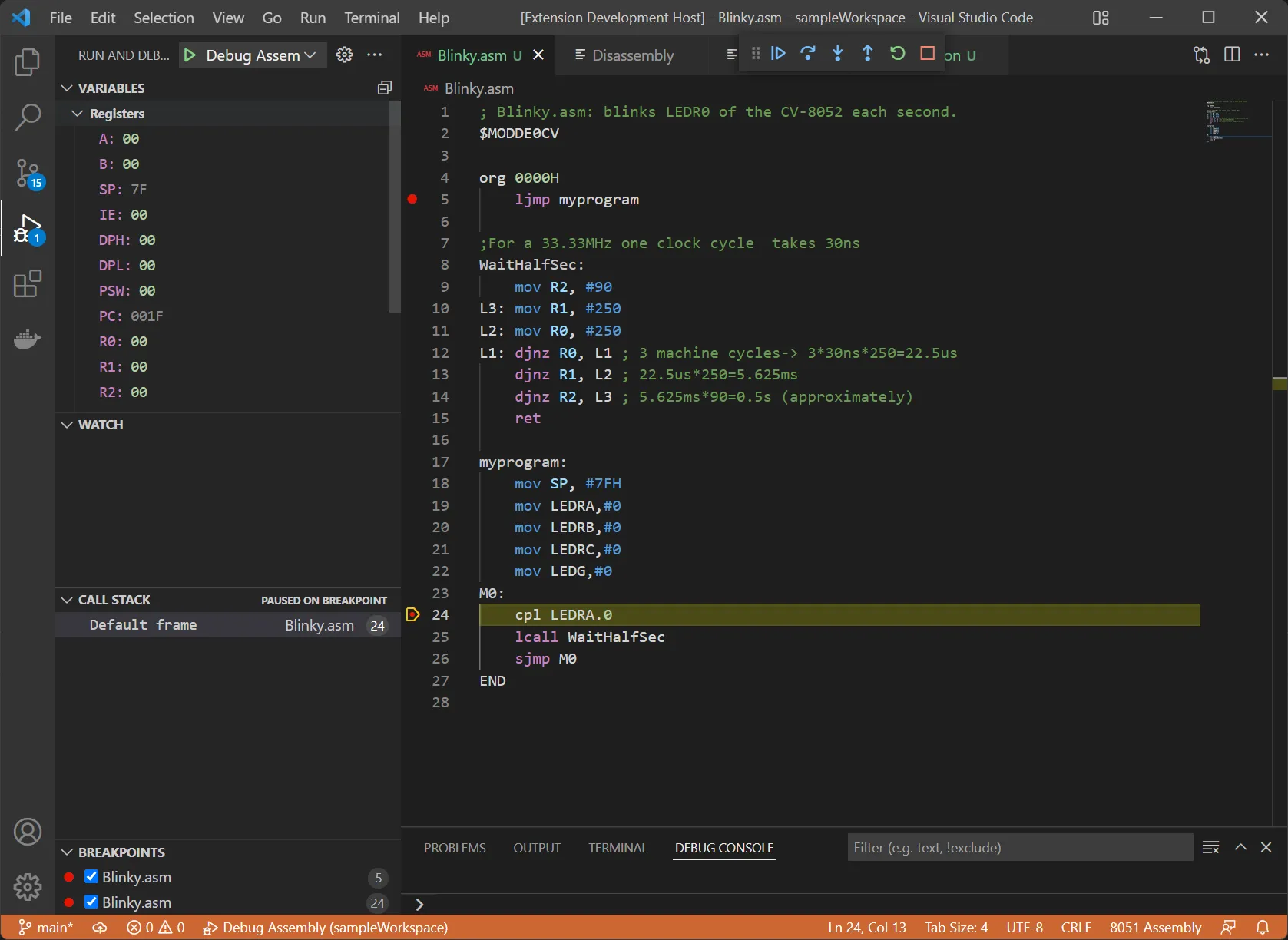
For a microcomputers course, we used a command-line based debugger to step through our assembly code as it ran on our microcontroller board. I wanted to integrate this with Visual Studio Code to be able to see all of the information the debugger provided at a glance in context with the source code. I looked into the Debug Adapter Protocol used by VS Code and realized that most of the features of the protocol were already implemented by the command-line debugger, so I wrote a TypeScript program to receive Debug Adapter Protocol requests, send them to the debugger over the command line, parse the responses and send them back.
The basic structure of the project is a runtime that sends commands and receives responses from the debugger and a debug adapter which calls methods on the runtime whenever VS Code requests information. Each method in the runtime sends a command to the debugger and waits asynchronously for a response, which it parses using a simple RegEx. Each time a method waits for a response, it sends its RegEx to a scheduler, which queues parsers in the order they were called to ensure that each line of output is read in order. I initially ran into concurrency issues where a command that was called later would start reading output before a previous command was finished. Since I used the await keyword to wait for parsers, they were not being queued atomically and it was possible for another command to queue its parser while the first one was still waiting. I fixed this by allowing commands to schedule multiple parsers together so they only had to call await once.
While working on this project, I learned a lot about how applications interact with the terminal. Initially, I tried running the debugger as a subprocess and piping standard input and output into the debug adapter, but the debugger detected that the debug adapter was not a terminal and buffered its output until it finished executing, which made it impossible to read output in real-time. Since I needed to present the debug adapter as a terminal to get the debugger to send output in real-time, I looked into pseudoterminals in Node.js and landed on the node-pty module, which presents the application as a pseudoterminal when it runs a subprocess. I also faced issues getting the debug adapter to run as a VS Code extension since node-pty is a native module and needs to be compiled for the specific version of Node.js used. After plenty of attempts recompiling the individual module for the version of Node.js used in VS Code, I was able to get it to run by reinstalling the entire project for the specific version of Electron used in VS Code.
This project is available on GitHub.